Coloring tips: How to color Optimus Prime Repair Bay Workshop coloring page well?
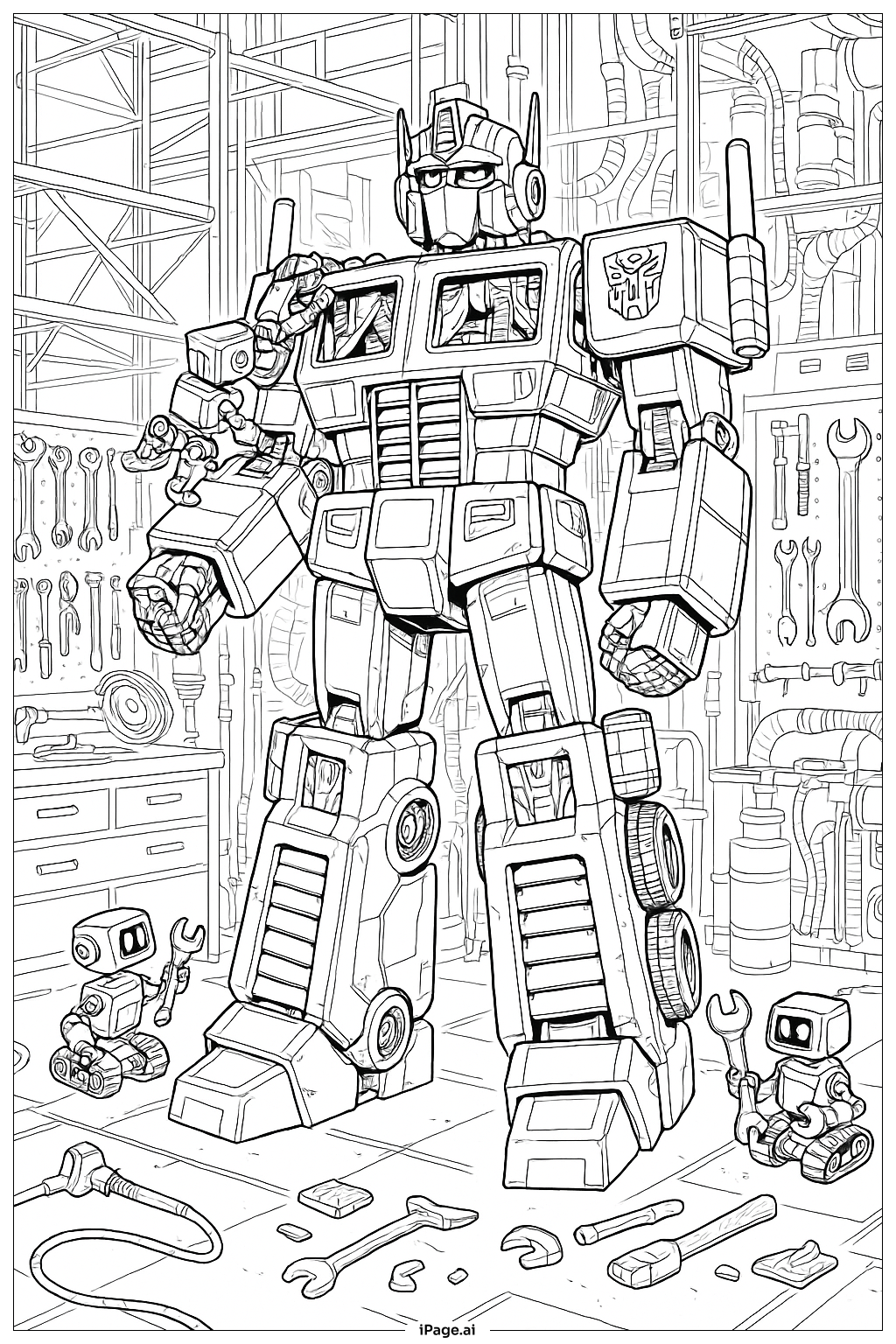
For Optimus Prime himself, use his classic color scheme with bright red for the torso and helmet, deep blue for the legs and arms, and silver or gray for the mechanical joints and details. Add metallic accents with gold or yellow for highlights and energy effects. The workshop environment offers great opportunities for creativity. Try using dark grays and silvers for the machinery and equipment panels. Add pops of color with green, blue, or orange lights on the control panels and monitors. Consider using lighter grays or whites for the floor and walls to create depth. For a dramatic effect, shade the background darker to make Optimus Prime stand out. Use colored pencils or markers to add metallic sheen effects on the robotic surfaces.
Coloring challenges: Which parts are difficult to color and need attention for Optimus Prime Repair Bay Workshop coloring page?
• Complex Mechanical Details: The image contains numerous intricate mechanical components, gears, joints, and technological elements that require careful attention. Young children may find it challenging to stay within the lines of these small, detailed areas. The overlapping mechanical parts demand patience and fine motor control to color each section distinctly without bleeding colors together.
• Distinguishing Between Elements: With Optimus Prime positioned within a busy workshop environment, it can be difficult to determine where the character ends and the background begins. The various tools, equipment panels, and machinery create visual complexity that requires careful observation to identify separate elements and choose appropriate colors for each component.
• Shading and Depth: Creating a three-dimensional appearance on this mechanical subject presents a challenge. The cylindrical shapes, angular armor plates, and curved surfaces require thoughtful shading techniques to achieve realistic metallic effects. Understanding where to place highlights and shadows on robotic forms demands more advanced coloring skills.
• Maintaining Color Consistency: With so many repeated mechanical elements throughout the image, keeping track of which parts should match in color requires planning and attention. Children need to remember their color choices for similar components to maintain visual coherence across the entire page.
• Fine Line Work: The detailed line art includes thin lines separating small areas, making it challenging to use broader coloring tools like markers without accidentally covering important details or crossing boundaries.
Benefits of coloring books: Advantages of drawing Optimus Prime Repair Bay Workshop coloring page
Coloring this Optimus Prime Repair Bay Workshop page offers wonderful developmental benefits for children. It helps improve fine motor skills and hand-eye coordination as they navigate the detailed mechanical elements and intricate line work. The complex image encourages focus and concentration, helping children practice patience while working on a challenging project. The mechanical theme introduces kids to concepts of engineering, robotics, and technology in a fun, creative way. Children can exercise decision-making skills while choosing colors for different components and planning their approach to the detailed scene. The sense of accomplishment upon completing this intricate coloring page boosts confidence and self-esteem. Additionally, coloring provides a calming, meditative activity that reduces stress and promotes relaxation while engaging with a beloved character from the Transformers universe.